

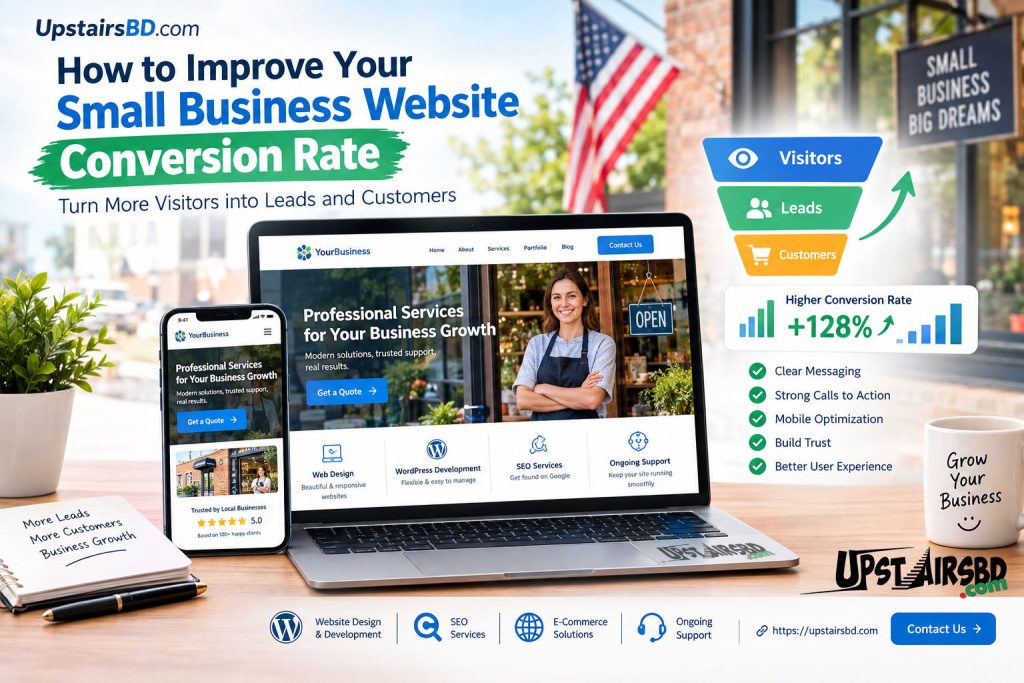
A small business website can receive visitors from Google, social media, referrals, and other online channels, but traffic alone does not guarantee business growth. If visitors leave without calling, submitting a form, requesting a quote, or making a purchase, your website may need better conversion optimization.
Your small business website conversion rate measures how effectively your website turns visitors into people who take a valuable action. Improving that rate can help you get more results from the traffic you already have.
For businesses in the USA, a professional website should do more than look attractive. It should clearly communicate what the business offers, build trust, answer customer questions, and make it easy for visitors to take the next step.
What Is a Small Business Website Conversion Rate?
A website conversion rate is the percentage of website visitors who complete a desired action.
For example, a conversion might be:
- Submitting a contact form
- Requesting a quote
- Calling your business
- Booking a consultation
- Purchasing a product
- Signing up for an email list
- Downloading a useful resource
The right conversion depends on the type of business and the purpose of the website.
A service business may focus on quote requests and phone calls, while an eCommerce store may focus on completed purchases.
Why Website Conversion Rate Matters for Small Businesses
Getting more website visitors is useful, but attracting visitors is only part of the process.
Imagine that two businesses receive the same amount of website traffic. One website makes it difficult to understand the service and provides no obvious next step. The other clearly explains its services, displays trust signals, answers common questions, and provides simple ways to contact the business.
The second website has more opportunities to turn visitors into leads or customers.
This is why website optimization should consider both search visibility and user experience.
SEO can help people discover your website. Conversion optimization helps give those visitors a reason to take action.
1. Make Your Main Offer Clear
One of the first things visitors should understand is what your business does.
Your homepage should communicate:
- What you offer
- Who you help
- Where you provide your services
- Why customers should consider your business
- What visitors should do next
Avoid complicated headlines that sound impressive but do not explain your service.
For example, instead of using a vague headline such as:
“Transforming Digital Possibilities”
a small business could use something more specific:
“Professional Website Design for Small Businesses”
Clear messaging helps visitors understand your offer without making them search through the website.
2. Use Strong Calls to Action
A call to action tells visitors what they can do next.
Examples include:
- Get a Free Quote
- Request a Consultation
- Contact Us
- Schedule a Call
- Get Started
- Request a Website Audit
- Shop Now
Your call to action should be easy to find and should match the visitor’s intent.
If someone is reading about website development, a button such as “Request a Website Consultation” may be more useful than a generic button such as “Learn More.”
3. Improve Your Website’s Mobile Experience
Many customers access business websites from smartphones.
A website that looks excellent on a desktop computer can still lose potential customers if its mobile experience is difficult.
Check whether:
- Text is easy to read
- Buttons are large enough to tap
- Navigation is simple
- Images fit the screen
- Forms are easy to complete
- Important information appears without excessive scrolling
- Pages load efficiently
Mobile optimization is especially important for local and service-based businesses because visitors may search for a business while they are ready to make contact.
4. Make Your Website Easy to Navigate
Visitors should not have to search through multiple pages to find basic information.
A simple navigation structure can include:
- Home
- About
- Services
- Portfolio or Case Studies
- Blog
- Contact
Your most important services should be easy to reach.
Internal links can also help visitors discover related information. For example, an article about improving website performance can link to your website development service, while an SEO article can link to your SEO service page.
This creates a stronger connection between your educational content and your business services.
5. Build Trust Before Asking for the Sale
People are naturally cautious when choosing a business online.
Your website can build confidence by providing useful trust signals such as:
- Customer testimonials
- Reviews
- Portfolio examples
- Case studies
- Business contact information
- Clear service descriptions
- Professional branding
- Frequently asked questions
- Secure payment information when applicable
Do not hide important trust information at the bottom of your website.
Place relevant proof close to the areas where visitors are making decisions.
6. Improve Your Contact Forms
A complicated contact form can reduce the number of people who complete it.
Ask only for information you genuinely need at the first stage.
For example, a basic service inquiry may need:
- Name
- Phone number
- Service required
- Short project description
Long forms can sometimes create unnecessary friction.
Your form should also have a clear button, such as:
Request a Free Consultation
rather than a vague label such as:
Submit
7. Show Visitors Why They Should Choose You
Many business websites make the same mistake: they talk only about themselves.
Instead of simply saying that your company provides “high-quality services,” explain how your service helps the customer.
For example:
- Faster website performance
- Mobile-friendly design
- Easier online management
- Better user experience
- Search-friendly website structure
- Professional business presentation
- Better lead-generation opportunities
Specific benefits are generally easier for visitors to understand than generic marketing language.
8. Improve Website Speed
A slow website can create a poor user experience.
Large images, unnecessary plugins, poorly optimized code, excessive scripts, and low-quality hosting can all contribute to performance problems.
For a small business website, review:
- Image sizes
- Image formats
- Plugin usage
- Caching
- Hosting performance
- Unnecessary scripts
- CSS and JavaScript loading
- Mobile performance
Website speed should be treated as part of the overall website experience rather than as an isolated technical task.
9. Use SEO and Conversion Optimization Together
SEO and conversion optimization have different purposes, but they work well together.
SEO helps your pages become discoverable for relevant searches.
Conversion optimization helps those visitors take meaningful actions once they arrive.
For example, a business could create an SEO-focused article that answers a customer’s question and then guide interested readers toward a relevant service page.
This creates a logical journey:
Google Search → Helpful Content → Service Page → Contact or Quote → Potential Customer
Your content should not simply attract traffic. It should also help visitors understand what to do next.
10. Answer the Questions Customers Ask
Potential customers often have questions before contacting a business.
Your website can answer questions such as:
- How much does the service cost?
- How long does the project take?
- What is included?
- Who is the service for?
- What areas do you serve?
- How does the process work?
- What happens after contacting you?
- Do you provide ongoing support?
A strong FAQ section can reduce uncertainty and help visitors move closer to taking action.
11. Use Landing Pages for Specific Services
A homepage should introduce your business, but it should not necessarily explain every service in detail.
Create dedicated pages for important services.
For example, a digital services company might have separate pages for:
- Website Design
- WordPress Development
- SEO
- eCommerce Development
- Website Maintenance
- Graphic Design
- Video Editing
Each page can focus on its own audience, search intent, benefits, FAQs, and call to action.
This can also create a stronger internal linking structure across your website.
12. Track What Visitors Actually Do
You cannot improve your conversion rate effectively if you do not know what visitors are doing.
Track useful actions such as:
- Contact form submissions
- Phone clicks
- Quote requests
- Button clicks
- Purchases
- Important page visits
- Traffic sources
Google Search Console can help you understand search visibility and queries, while website analytics can help you understand what visitors do after reaching your website.
Look for patterns.
If one page receives significant traffic but very few inquiries, review its headline, content, trust signals, calls to action, and user experience.
13. Do Not Focus Only on More Traffic
More traffic can be useful, but traffic quality matters.
A website may attract thousands of visitors who are not interested in its services.
Another website may attract fewer visitors but generate more relevant inquiries.
For a small business, the goal should be to attract the right audience and make it easy for that audience to take the next step.
This is why keyword selection, search intent, content quality, website structure, and conversion optimization should work together.
14. Connect Your Blog With Your Services
Your blog should support your business goals.
For example, an educational article can answer a common customer question and then naturally direct readers to a related service.
This approach can help create a website structure where:
Blog Content → Relevant Service → Contact
Your existing articles about WordPress development, website costs, SEO, and getting a small business website on Google can all support this type of content journey.
Avoid adding internal links simply for the sake of adding links. Each link should help the visitor find a useful next resource.
15. Make Your Contact Information Easy to Find
If a visitor wants to contact your business, do not make them search for your contact details.
Your website should provide an obvious path to your contact page.
For businesses targeting customers in the USA, clear communication about services, availability, service areas, and response expectations can also help reduce uncertainty.
For professional website and SEO services, visitors should have an easy way to request more information or start a conversation.
A Simple Website Conversion Checklist
Before publishing or redesigning a small business website, review these questions:
- Is the main service immediately clear?
- Is the target customer obvious?
- Is the headline specific?
- Is there a clear call to action?
- Does the website work well on mobile devices?
- Are important pages easy to find?
- Does the website load efficiently?
- Are testimonials or other trust signals available?
- Is the contact process simple?
- Are service pages detailed enough?
- Are FAQs included where useful?
- Are internal links helping visitors navigate?
- Can important conversions be tracked?
- Does the content match search intent?
If several answers are “no,” there may be opportunities to improve the website’s conversion performance.
Final Thoughts
Improving your small business website conversion rate is not about adding more buttons or filling every page with marketing messages.
It is about creating a website that makes the customer’s journey easier.
Visitors should quickly understand what you offer, see why your business is relevant to them, find answers to their questions, trust your company, and have a simple way to take the next step.
For small businesses in the USA, combining strong website design, useful content, SEO, mobile optimization, trust signals, and clear calls to action can create a more effective online presence.
A website should not simply exist online. It should work as a useful business tool that helps turn the right visitors into genuine inquiries and customers.
Ready to improve your business website? Contact UpstairsBD.com to discuss your website design, WordPress development, SEO, and digital solutions.