

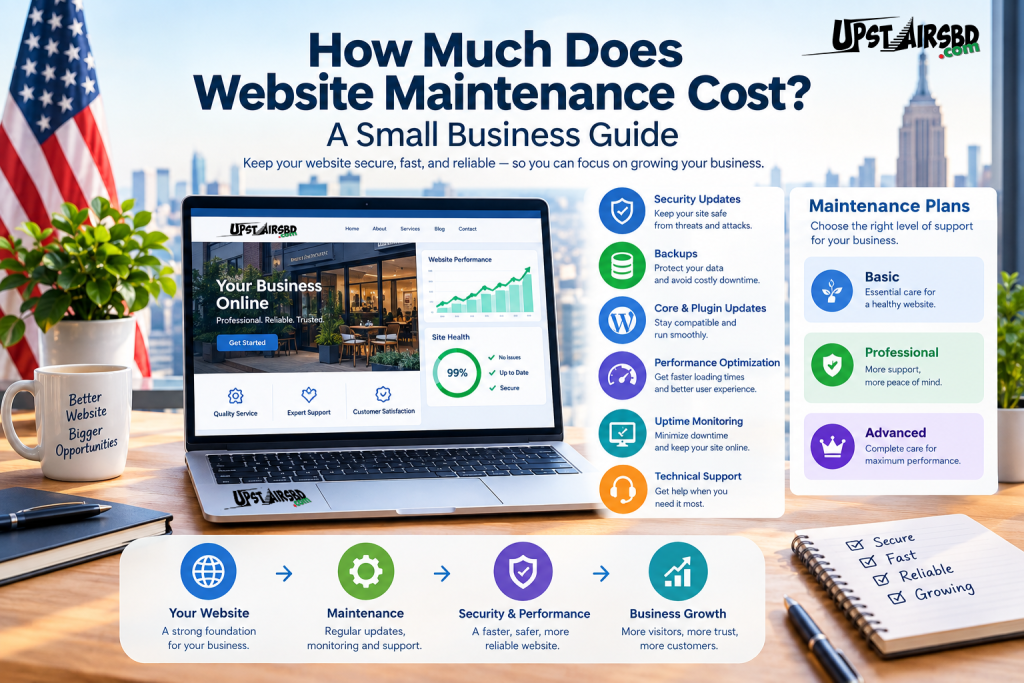
Launching a website is an important step for any business.
However, understanding website maintenance cost is essential because launching a website is only the beginning.
Just like a physical business location needs regular care, a website needs ongoing attention to remain secure, functional, fast, and useful for customers.
That leads to an important question:
How much does website maintenance cost?
The answer depends on the type of website, the platform it uses, the amount of support required, and the services included in the maintenance plan.
For a small business, understanding these costs can help you choose the right level of website support without paying for services you don’t actually need.
What Is Website Maintenance?
Website maintenance is the ongoing work required to keep a website operating properly after it has been launched.
Depending on the website, maintenance may include:
- Software updates
- Security monitoring
- Backups
- Performance optimization
- Broken-link checks
- Website troubleshooting
- Content updates
- Uptime monitoring
- Plugin and theme updates
- Technical support
For WordPress websites, maintenance can also involve keeping WordPress core, plugins, and themes compatible and secure.
In other words, website maintenance helps protect the investment you’ve already made in your website.
How Much Does Website Maintenance Cost?
There is no single price for website maintenance.
A simple brochure website may require only occasional updates and backups. On the other hand, an online store may need frequent monitoring, security checks, performance optimization, and technical support.
Current US-market examples show maintenance pricing ranging from relatively low-cost basic plans to several hundred dollars per month for more comprehensive support.
A useful way to think about maintenance is by level of service, rather than looking for one universal price.
Basic Website Maintenance
A basic maintenance plan may focus on essential tasks such as:
- Software updates
- Backups
- Security checks
- Uptime monitoring
- Basic troubleshooting
This type of plan can be suitable for a simple business website that does not change frequently.
Professional Website Maintenance
A more comprehensive plan may include:
- Everything in basic maintenance
- Performance optimization
- Content updates
- Broken-link checks
- More frequent monitoring
- Technical support
- Security monitoring
This can make sense for a growing business where the website is an important source of leads.
Advanced Website Maintenance
More complex websites may need additional support.
For example:
- eCommerce websites
- Membership websites
- Booking systems
- High-traffic websites
- Custom WordPress websites
- Websites with third-party integrations
These websites may require more frequent testing, monitoring, troubleshooting, and development support.
What Does a Website Maintenance Service Include?
Before comparing prices, you should understand what you’re actually paying for.
A cheap maintenance plan may look attractive until you discover that important services are excluded.
Here are some of the most important areas to consider.
1. Website Backups
Backups are one of the most important parts of website maintenance.
If something goes wrong, a recent backup can provide a way to restore your website.
For example, a website could experience:
- A failed update
- A plugin conflict
- Accidental deletion
- Server problems
- Security issues
- Database problems
Therefore, businesses should understand:
How often is my website backed up, and where are those backups stored?
2. WordPress and Plugin Updates
WordPress websites often use plugins and themes to provide additional functionality.
Those components need to be maintained.
However, simply clicking “Update” on everything without checking compatibility can sometimes create problems.
A professional maintenance process should consider:
- WordPress core updates
- Plugin updates
- Theme updates
- Compatibility
- Website functionality after updates
As a result, regular maintenance is more than simply installing updates.
3. Website Security
Security should be an important consideration for every business website.
A maintenance service may include:
- Security monitoring
- Malware scanning
- Login protection
- Firewall configuration
- Security updates
- Suspicious activity monitoring
No maintenance service can guarantee that a website will never experience a security incident.
Nevertheless, keeping software updated and monitoring the website can reduce avoidable risks.
4. Website Speed and Performance
A website that takes too long to load can create a frustrating experience.
Performance can be affected by:
- Large images
- Too many plugins
- Poor hosting
- Unoptimized databases
- Heavy scripts
- Poorly configured caching
For this reason, website maintenance can include periodic performance reviews.
A healthy website should not only be secure; it should also provide a good experience for visitors.
5. Uptime Monitoring
Imagine a potential customer visits your website after seeing your business in Google.
Instead of seeing your homepage, they receive an error.
That visitor may simply leave and choose another business.
Uptime monitoring can help identify when a website becomes unavailable.
Depending on the maintenance service, monitoring may involve automated checks and notifications when problems occur.
6. Content Updates
Some businesses need technical maintenance only.
Others regularly need someone to update their website.
For example, you may need to:
- Add a new service
- Change business information
- Upload an image
- Update a product
- Publish an article
- Change pricing
- Add a promotional banner
If content updates are included in a maintenance plan, check how many hours or changes are covered.
7. Technical Troubleshooting
Sometimes a website simply stops behaving as expected.
A contact form may stop working.
A plugin may conflict with another plugin.
A page may display incorrectly after an update.
An integration may stop connecting.
Technical troubleshooting can therefore be one of the most valuable parts of a maintenance service.
Website Maintenance vs Website Development
These two services are related, but they are not the same.
Website Development
Development generally involves building or significantly changing a website.
Examples include:
- Creating a new website
- Redesigning a website
- Developing custom functionality
- Building an eCommerce system
- Creating custom integrations
Website Maintenance
Maintenance focuses on keeping an existing website healthy.
Examples include:
- Updates
- Backups
- Security
- Performance
- Monitoring
- Small content changes
- Troubleshooting
Therefore, a business may need both services at different stages of its website’s life.
Do Small Businesses Really Need Website Maintenance?
For many businesses, the answer is yes.
Your website may be one of your most important digital assets.
Potential customers may use it to:
- Learn about your company
- Compare your services
- Read reviews
- Contact you
- Request a quote
- Purchase products
- Book appointments
If the website becomes unavailable or stops functioning properly, the business can lose opportunities.
Furthermore, an outdated website can create unnecessary security and compatibility problems.
The exact level of maintenance you need depends on the importance and complexity of your website.
DIY Website Maintenance vs Professional Maintenance
Some business owners prefer to maintain their websites themselves.
That can work for a simple website if the owner has enough time and technical knowledge.
DIY maintenance may involve:
- Updating software
- Creating backups
- Checking security
- Monitoring uptime
- Updating content
- Testing forms
However, there is a hidden cost:
Your time.
If you spend several hours every month maintaining your website, that time could otherwise be spent on sales, customers, marketing, or running the business.
Professional maintenance can therefore be valuable even when the website itself is relatively simple.
How to Choose the Right Website Maintenance Plan
Don’t choose a maintenance provider based only on the cheapest price.
Instead, ask what is actually included.
Ask these questions:
1. Are backups included?
Find out how frequently backups are created and how long they are retained.
2. Are updates included?
Check whether WordPress, plugins, and themes are covered.
3. Is security monitoring included?
Understand what happens if suspicious activity is detected.
4. Are content changes included?
Some plans include a limited number of updates while others charge separately.
5. Is technical support included?
Ask whether troubleshooting is part of the package.
6. Is performance optimization included?
This can be particularly useful for websites that experience speed problems.
7. What happens during an emergency?
Find out whether emergency support is available and whether it has an additional cost.
What Factors Affect Website Maintenance Cost?
Several factors can influence your maintenance budget.
Website Size
A five-page website usually requires less maintenance than a large corporate website.
Website Platform
WordPress, Shopify, custom applications, and other platforms have different maintenance requirements.
Number of Plugins
A WordPress website with many plugins can require more monitoring and compatibility testing.
eCommerce Functionality
Online stores require additional attention because payments, products, orders, shipping, and customer accounts may be involved.
Website Traffic
High-traffic websites can require stronger hosting, monitoring, and performance management.
Support Requirements
A business that needs frequent changes and fast technical support may require a more comprehensive maintenance plan.
What Should a Small Business Budget For?
Instead of choosing a price based on a generic number, consider the importance of your website.
A simple informational website
You may primarily need:
- Updates
- Backups
- Security
- Basic monitoring
A lead-generation website
You may additionally need:
- Performance monitoring
- Content updates
- SEO-related improvements
- Technical support
An eCommerce website
You may need:
- Security
- Backups
- Updates
- Payment testing
- Performance monitoring
- Product management
- Technical support
Consequently, the right maintenance budget depends heavily on what the website does for your business.
Why the Cheapest Maintenance Plan Isn’t Always the Best
Saving money is important.
However, extremely low-cost maintenance can sometimes provide only automated updates without meaningful monitoring or support.
The question should not simply be:
“What’s the cheapest website maintenance plan?”
Instead, ask:
“What level of maintenance does my business actually need?”
A slightly more comprehensive plan may provide much greater value if your website generates leads, sales, or customer inquiries.
Website Maintenance and SEO
Website maintenance and SEO are not exactly the same thing.
However, they can support each other.
A website that is technically healthy provides a better foundation for SEO.
For example:
- Broken pages can hurt user experience.
- Slow performance can frustrate visitors.
- Poor mobile usability can reduce usability.
- Outdated information can make content less useful.
- Broken internal links can make navigation harder.
Therefore, maintaining your website should be part of a broader digital strategy.
If you are also working on organic search visibility, you can explore UpstairsBD SEO Services for a separate SEO-focused strategy.
When Should You Hire a Website Maintenance Service?
Professional maintenance can make sense when:
- You don’t have time to manage your website.
- Your website generates business leads.
- Your website handles online sales.
- You frequently need content updates.
- You don’t have technical expertise.
- Your website has experienced security problems.
- You want someone available when technical problems occur.
On the other hand, a very simple website with minimal changes may require only occasional professional support.
The goal is to choose the level of service that matches your actual needs.
A Simple Website Maintenance Checklist
Use this checklist to review your website regularly:
Security
- Keep WordPress and software updated.
- Review security alerts.
- Use strong administrator passwords.
- Monitor suspicious activity.
Backups
- Maintain regular backups.
- Keep backups separate from the live website.
- Periodically verify that backups can actually be restored.
Performance
- Optimize large images.
- Review unnecessary plugins.
- Monitor loading performance.
- Check for broken functionality.
Content
- Update outdated information.
- Review important service pages.
- Check contact details.
- Remove unnecessary content.
Technical
- Test contact forms.
- Check important links.
- Review website errors.
- Monitor uptime.
SEO
- Review important pages.
- Check internal links.
- Monitor search performance.
- Keep useful content updated.
Final Thoughts
A website is not a one-time investment.
After launch, it needs regular attention to remain secure, reliable, fast, and useful.
The cost of website maintenance depends on what your website needs.
A simple business website may require basic updates, backups, and security monitoring. A growing business or eCommerce website may need more comprehensive support, performance optimization, content management, and technical assistance.
Therefore, don’t choose a maintenance plan simply because it has the lowest price.
Look at what is included.
Consider how important your website is to your business.
Then choose a maintenance solution that provides the right balance of security, performance, support, and value.
If you need help maintaining, improving, or supporting your business website, you can contact UpstairsBD to discuss your requirements.
Very helpful.
keep it up.
Thanks, nice article.