

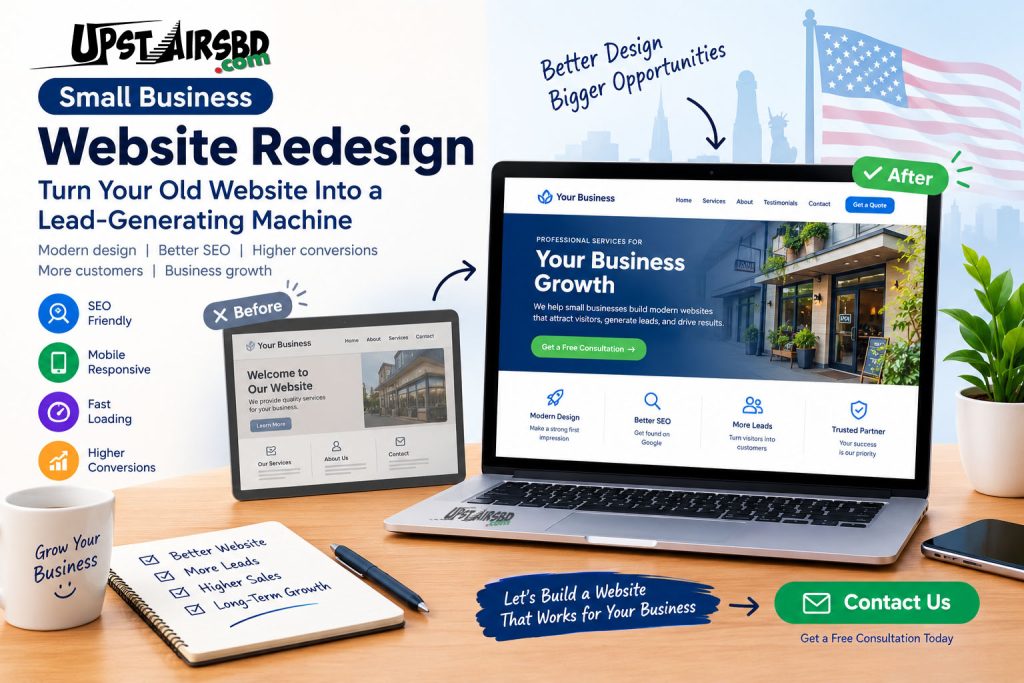
A website can look perfectly fine and still cost a small business customers.
If your website looks outdated, loads slowly, feels difficult to use on a phone, or does not turn visitors into calls and inquiries, it may be time for a small business website redesign.
For businesses in the USA, a modern website is more than an online business card. It can become a powerful tool for building trust, appearing in Google search results, generating leads, and turning visitors into customers.
The good news is that you do not always need to start from scratch. A strategic redesign can improve your website while protecting valuable content, URLs, and search visibility.
What Is a Small Business Website Redesign?
A small business website redesign means improving an existing website’s structure, appearance, content, usability, performance, and conversion strategy.
A redesign may include:
- Updating an outdated design
- Improving mobile responsiveness
- Making pages load faster
- Simplifying website navigation
- Improving calls to action
- Rewriting weak website content
- Improving on-page SEO
- Fixing broken links and technical issues
- Improving contact and inquiry forms
- Adding trust signals and testimonials
- Improving the user experience
- Updating service and product pages
A successful redesign should not simply make a website look prettier.
It should make the website more useful to visitors and more valuable to the business.
7 Signs Your Small Business Website Needs a Redesign
1. Your Website Looks Outdated
First impressions matter.
If your website looks like it was designed many years ago, potential customers may question whether your business is active or trustworthy.
A modern redesign can create a cleaner visual hierarchy, clearer messaging, stronger branding, and a more professional customer experience.
2. Your Website Does Not Work Well on Mobile Devices
Many customers discover businesses from smartphones.
If visitors have to zoom, scroll sideways, or struggle to find your contact information, you may lose potential customers before they contact you.
Your redesigned website should provide a smooth experience across smartphones, tablets, laptops, and desktop computers.
3. Your Website Loads Slowly
Speed matters for users and search visibility.
Large images, unnecessary plugins, poor hosting configurations, excessive scripts, and outdated website components can slow down a website.
A redesign gives you an opportunity to review the technical foundation and remove unnecessary problems.
4. Visitors Are Not Becoming Customers
Getting website traffic is useful, but traffic alone does not pay the bills.
If people visit your website but rarely call, submit a form, request a quote, or make a purchase, your website may have a conversion problem.
A better redesign should make the next step obvious.
For example:
Get a Quote → Schedule a Consultation → Call Now → Request a Free Consultation
Your visitors should quickly understand what you want them to do.
5. Your Website Is Difficult to Navigate
Imagine a potential customer landing on your website and not knowing where to go next.
That is a problem.
A good business website should make important information easy to find.
Your navigation should help visitors quickly reach:
- Services
- About
- Pricing
- Portfolio or case studies
- Testimonials
- Contact information
- Important service pages
Simple navigation can create a much better user experience.
6. Your Website Has Weak SEO
A beautiful website does not automatically rank on Google.
Your pages need useful content, logical structure, descriptive titles, relevant headings, internal links, good performance, and a crawlable technical setup.
During a redesign, SEO should be treated as part of the project—not something added after everything is finished.
If you want to understand how SEO fits into a small-business website strategy, read our guide on how to get your small business website on Google.
7. Your Website No Longer Matches Your Business
Businesses change.
Perhaps you now offer more services, target a different customer group, serve additional locations, or have a stronger brand than when the website was originally created.
Your website should reflect what your business offers today.
Website Redesign vs. Building a New Website
One common question is:
Should I redesign my existing website or build a completely new website?
The answer depends on the condition of your current website.
A redesign may make sense when:
- Your domain already has useful search visibility
- Your existing content is still valuable
- Your website structure is generally usable
- Your branding needs an update
- Your mobile experience needs improvement
- Your design looks outdated
A new build may make more sense when:
- The existing website has serious technical problems
- The platform is no longer suitable
- The website is extremely difficult to maintain
- The existing structure is confusing
- The site has accumulated unnecessary plugins or code
- You need completely different functionality
Before making the decision, audit the existing website.
Sometimes a strategic redesign can solve the problem without throwing away everything that already works.
How Much Does a Small Business Website Redesign Cost?
There is no single price for a website redesign.
The final cost depends on the number of pages, design complexity, content requirements, SEO work, integrations, e-commerce functionality, migration requirements, and the professional handling the project.
Before comparing prices, it can help to understand the factors that affect WordPress website costs in the USA.
Instead of asking only:
“How much does a website redesign cost?”
ask:
“What exactly is included in the redesign?”
A professional proposal should clearly explain:
- Number of pages
- Design and development
- Mobile responsiveness
- Content work
- SEO setup
- Image optimization
- Contact forms
- Integrations
- Testing
- Website migration
- 301 redirects
- Post-launch support
This makes different quotes much easier to compare.
How a Website Redesign Can Improve SEO
A redesign can create SEO opportunities, but it must be handled carefully.
Search engines already know about your existing pages. Other websites may also link to them.
If you change URLs without a proper migration strategy, you can create broken links and lose valuable search signals.
For that reason, SEO should be included from the planning stage.
For additional guidance, see our WordPress SEO optimization guide.
Protect Your Existing URLs
Before changing your website structure, create a list of important existing URLs.
Identify pages that receive:
- Organic traffic
- Search impressions
- Backlinks
- Leads
- Conversions
Do not delete valuable pages simply because they look old.
Use 301 Redirects When URLs Change
If an important page needs a new URL, use an appropriate permanent redirect from the old URL to the relevant new page.
This helps users and search engines reach the correct destination.
Improve Page Titles and Headings
Every important page should have a clear purpose.
Your title and headings should communicate what the page is about while naturally incorporating relevant search terms.
Avoid stuffing keywords into every sentence.
Instead, create content that answers the customer’s actual questions.
Improve Internal Linking
Internal links connect related pages across your website.
For example, a business website redesign article could naturally link to relevant pages about:
- WordPress website development
- SEO services
- Business websites
- E-commerce websites
- Website maintenance
Internal links should help visitors discover useful information rather than simply being added to increase the number of links.
Design Your Website for Conversions
A website redesign should not be based entirely on colors, fonts, animations, and visual effects.
The website should help visitors take action.
A strong small-business homepage normally communicates four things quickly:
What do you offer?
Who do you help?
Why should customers trust you?
What should they do next?
For example:
Professional Website Design for Small Businesses
Build a modern, mobile-friendly website that helps your business attract visitors and generate qualified leads.
Then provide a clear call to action such as:
Request a Free Consultation
or
Get a Website Quote
What Should a Modern Small Business Website Include?
A professional website redesign may include:
Clear Homepage
Your homepage should explain your value proposition quickly.
Service Pages
Each major service should have a dedicated page instead of putting everything into one long page.
About Page
Show potential customers who you are, what you do, and why they should trust your business.
Testimonials
Real customer experiences can help reduce uncertainty.
Contact Page
Make it easy for visitors to call, email, submit a form, or request a quote.
Mobile-Friendly Design
Every important element should work properly on smaller screens.
Fast Performance
Optimize images, scripts, plugins, fonts, and other resources that affect loading performance.
SEO-Friendly Structure
Use logical headings, descriptive metadata, internal links, clean URLs, and useful content.
Strong Calls to Action
Every important page should guide the visitor toward an appropriate next step.
A Simple Small Business Website Redesign Process
A professional redesign does not have to be complicated.
Step 1: Audit the Existing Website
Review design, content, SEO, speed, mobile usability, analytics, links, forms, and important URLs.
Step 2: Define Business Goals
Decide what the redesigned website needs to accomplish.
For example:
- More phone calls
- More quote requests
- More local customers
- More online sales
- More consultation bookings
- Better search visibility
Step 3: Plan the Website Structure
Create a clear sitemap before redesigning individual pages.
Step 4: Improve the Content
Rewrite unclear messaging and make each page useful to the intended customer.
Step 5: Design the User Experience
Create a clean interface that makes information easy to understand and actions easy to complete.
Step 6: Build and Optimize
Develop the website with responsive design, performance, security, SEO, and usability in mind.
Step 7: Test Everything
Check:
- Mobile devices
- Desktop browsers
- Contact forms
- Buttons
- Links
- Images
- Navigation
- Page speed
- Tracking
- SEO settings
Step 8: Launch Carefully
Before launch, confirm that important pages remain accessible and that changed URLs have appropriate redirects.
Step 9: Monitor After Launch
A redesign is not finished the moment the website goes live.
Monitor:
- Search impressions
- Organic clicks
- Rankings
- Traffic
- Leads
- Form submissions
- User behavior
- Technical errors
How to Choose a Website Redesign Partner
Do not choose a web developer only because they offer the lowest price.
Instead, ask questions such as:
Will you protect my existing SEO?
Will you make the website mobile-friendly?
Who will write or improve the content?
Will you optimize page speed?
Will you handle redirects if URLs change?
What happens after launch?
Will I be able to edit the website myself?
What exactly is included in the quoted price?
If you are considering hiring a WordPress professional, our guide on how to choose the best WordPress developer for your business can help you compare experience, pricing, responsiveness, SEO knowledge, and other important factors.
A good website partner should understand that a business website is not just a design project.
It is part of your marketing and sales system.
Why Website Redesign Is an Investment, Not Just an Expense
A website can influence how customers perceive your business before they ever speak with you.
A better website can help you:
- Build trust
- Explain your services
- Generate leads
- Improve user experience
- Support SEO
- Showcase your expertise
- Compete with larger businesses
- Convert more visitors into customers
However, a redesign does not automatically produce these results.
The strategy, content, technical quality, SEO implementation, and ongoing marketing all matter.
Ready to Improve Your Business Website?
If your website feels outdated, generates too few inquiries, or no longer represents your business, you do not have to figure everything out alone.
UpstairsBD.com provides website development, WordPress solutions, SEO, e-commerce solutions, and other digital services for businesses looking to strengthen their online presence.
If you are considering a website redesign, contact UpstairsBD and discuss your project, goals, and website requirements.
A professional conversation can help you understand what your existing website needs before you invest in a complete redesign.
Final Thoughts
If your small business website looks outdated, performs poorly on mobile devices, loads slowly, generates few inquiries, or no longer represents your business, a small business website redesign may be worth considering.
The goal should not be to create a website that simply looks modern.
The goal should be to create a website that communicates clearly, performs well, earns trust, supports search visibility, and helps generate business.
At UpstairsBD.com, we help businesses build professional WordPress websites, e-commerce solutions, and SEO strategies designed to strengthen their online presence.
If you are planning a website redesign for your small business, start with the business problem—not the design trend.
A better website should have a purpose.
And that purpose should be helping your business grow.
Frequently Asked Questions
How often should a small business redesign its website?
There is no fixed schedule. A business should consider redesigning when its website no longer meets customer, performance, usability, branding, or business requirements.
Will redesigning my website hurt my Google rankings?
It can if the migration is handled poorly. Important URLs, content, internal links, metadata, and redirects should be reviewed before launch. A carefully planned redesign can improve the website while protecting useful search visibility.
Is WordPress good for small business websites?
Yes. WordPress can be a flexible option for many small businesses because it supports business websites, blogs, e-commerce, service pages, and many SEO and marketing features.
Should I redesign my website or start from scratch?
It depends on your existing website. If the domain, content, structure, and technical foundation remain useful, a redesign may be appropriate. If the platform or structure has major problems, rebuilding may be more practical.
Can a website redesign improve SEO?
A redesign can create opportunities to improve technical performance, mobile usability, content structure, internal linking, metadata, and overall user experience. However, SEO results are not guaranteed simply because a website is redesigned.
How much does a small business website redesign cost?
The cost varies widely depending on scope. A small visual refresh may cost much less than a custom redesign involving new content, SEO migration, e-commerce, integrations, or complex functionality. Always compare the scope and deliverables, not just the headline price.